Setup Facebook Pixel & Conversion Tracking

Setup Facebook Pixel & Conversion Tracking
Setup Facebook Pixel & Conversion Tracking
BR
Brett Ridenour
Last Updated:8/24/23 at 9:47 pm
Description: A Facebook Pixel is an invaluable tool for tracking user interactions on your website that are a result of your Facebook ads. By integrating this pixel, you can measure the effectiveness of your advertisements and better understand conversion rates. This will aid in optimizing your ad campaigns, ensuring you get the best return on your advertising investment.


Steps:
  1. Acquire your Facebook Pixel Code: Start by logging into your Facebook Business Manager and navigate to the Pixels section to retrieve your unique pixel code.
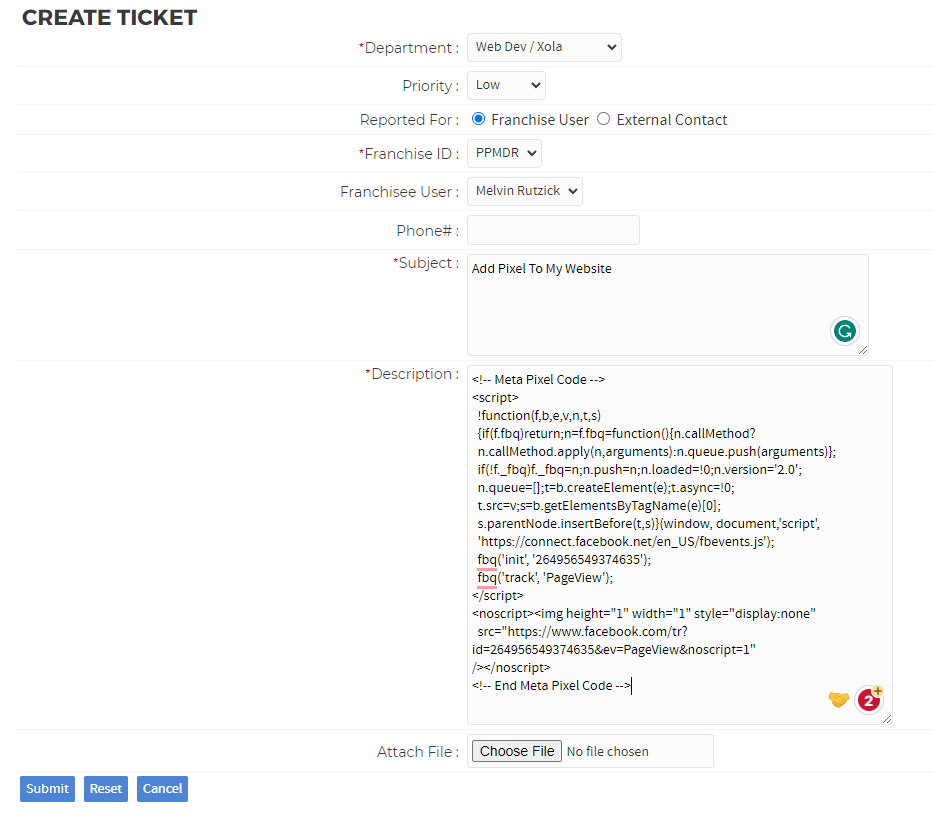
  2. Open a Support Ticket in Franconnect: Head to Franconnect, navigate to the "support" tab, then select "tickets". Create a new ticket requesting the addition of your Pixel Code to your website. You'll need to paste the actual code into the ticket.
  3. Wait for Confirmation: After submitting the ticket, wait for a confirmation from the support team indicating that the pixel code has been added successfully.
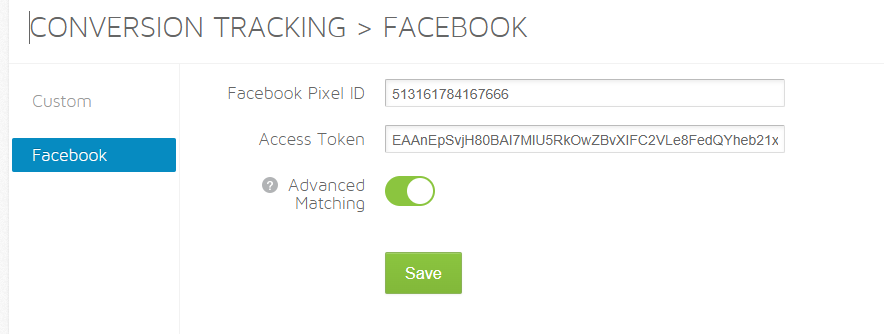
  4. Set Up Conversion Tracking in Xola: This can either be done by you or your marketing agency. If opting to do it yourself, follow the instructions provided in the Xola Help Center.
  5. Test the Pixel: Once the pixel is set up, visit your website and perform a few actions. This will help confirm if the pixel is tracking the necessary information.
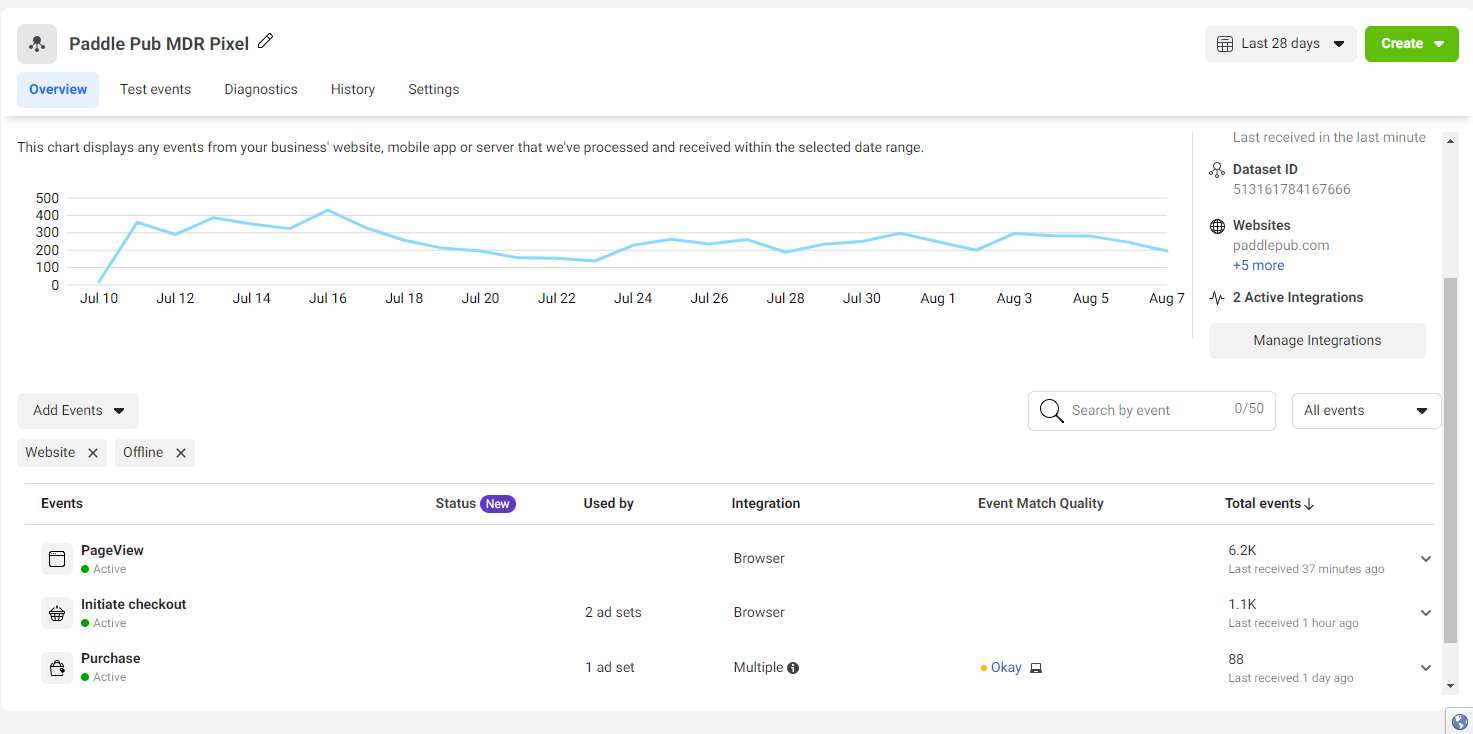
  6. Review Data on Facebook: After a day or so, log back into your Facebook Business Manager. Visit the Pixels section again and review the incoming data to ensure it's tracking correctly.
  7. Contact Your Marketing Agency: If you're working with an agency, ensure they're aware the pixel has been added so they can optimize your ad campaigns accordingly.


Resources:
  1. Facebook Business Manager - Where you can retrieve and manage your Facebook Pixel.
  2. Franconnect Support - The platform to request the addition of the Facebook Pixel to your site.
  3. Xola Help Center Article on Facebook Pixel Tracking - Step-by-step guide on setting up conversion tracking in Xola.


Audit Checklist:
  1. Facebook Pixel Code has been retrieved from the Facebook Business Manager.
  2. A support ticket has been opened and successfully processed in Franconnect for Pixel Code integration.
  3. Conversion tracking has been set up in Xola, either by yourself or your marketing agency.
  4. Pixel data is reflecting user interactions on the Facebook Business Manager.


What Good Looks Like:
The successful submission of the support ticket in Franconnect.
The setup and activation of conversion tracking in Xola.
The incoming data on Facebook Business Manager showcasing that the pixel is successfully tracking user interactions on the website.

    • Related Articles

    • Create Facebook, Instagram, TikTok accounts.

      Description: Social media platforms like Facebook, Instagram, and TikTok are essential tools for modern businesses, offering unparalleled reach and engagement opportunities. This guide will walk you through the steps to create accounts on these ...
    • 📣 2024 Marketing Campaign Calendar (INSPIRATION)

      ? 2024 Marketing Campaign Calendar Inspiration In order to maximize bookings and create a sense of urgency among potential customers, we have developed a comprehensive marketing calendar for Trolley Pub. Our strategy involves running small, ...
    • Grand Opening Ribbon Cutting Checklist

      Description: The grand opening of your Paddle Pub or Tiki Pub location is a pivotal event that sets the tone for your business venture. This checklist guides you through the planning and execution of a successful grand opening, aimed at generating ...
    • Start 3-Month Groupon Campaign

      Description: Utilizing Groupon for your grand opening can be a strategic move to maximize visibility, get your asset out in public, and generate early reviews. Despite the mixed opinions about Groupon in the business community, it has proven to be a ...
    • Changing Your Pickup Address

      Description: Changing your pickup location's address is an essential task when moving locations, deploying new assets, or simply making it easier for customers to find you. It's crucial to ensure that your new address is accurately reflected across ...